
1. Delete your account
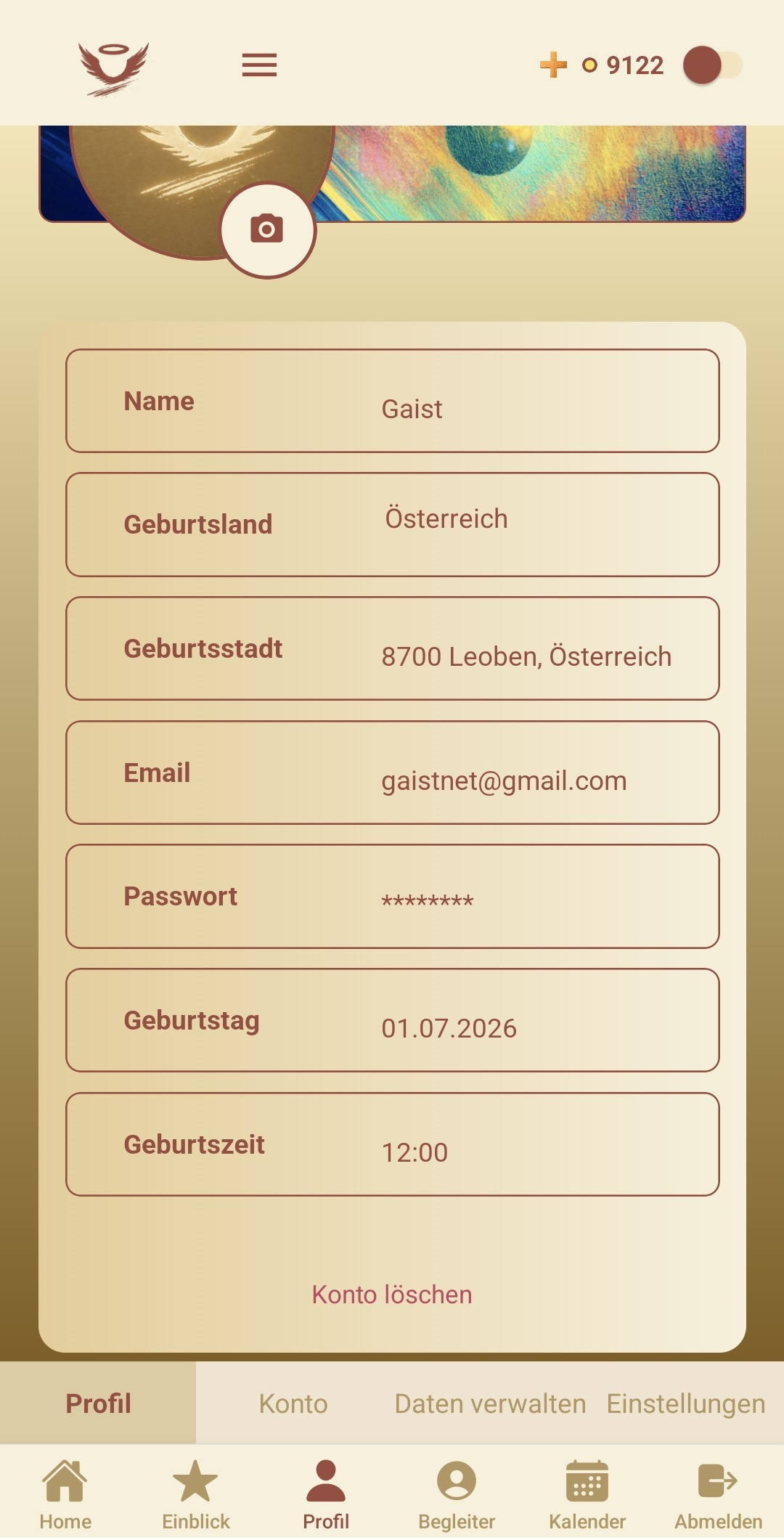
You can delete your GAIST account at any time directly in the app:
- Open the app and tap Profile in the bottom navigation.
- Make sure the Profile tab is selected.
- Scroll to the bottom of the profile and tap Delete Account.
- Confirm the deletion in the dialog that appears.
Your account is not deleted immediately. It is deactivated and
scheduled for deletion, but stays recoverable for 30 days
(currently one month). During this period you can undo the deletion: simply
log back in with the same credentials and reactivate your account
when prompted. After 30 days, your profile, personal data, memories and chats are
permanently deleted and can no longer be recovered. Generated persona artwork,
tarot cards and other generated creative assets may remain when they no longer
contain or expose personal account data and are no longer linked to your account.
2. Delete memories & persona chats
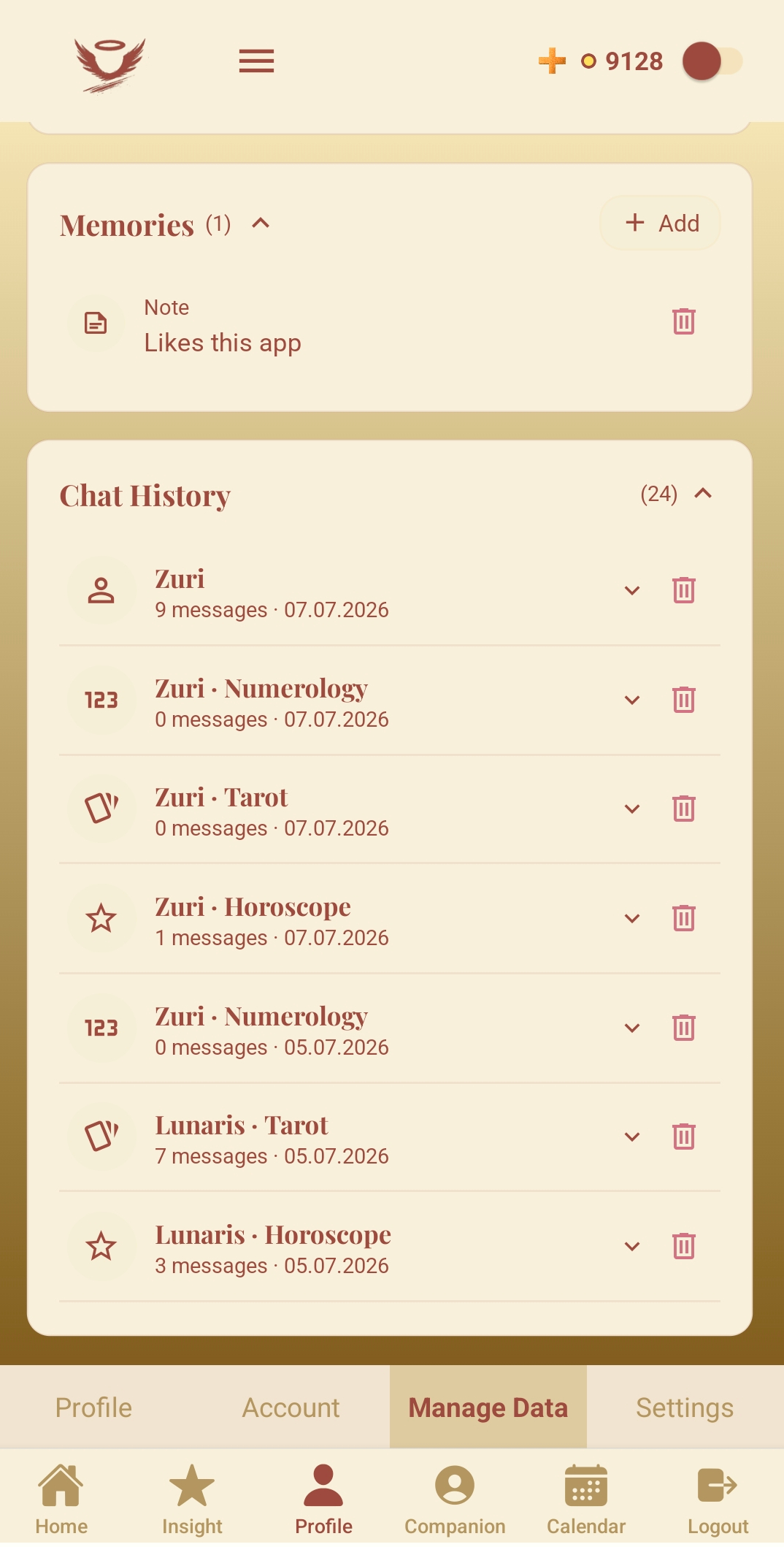
If you only want to remove certain data instead of your whole account, use Manage Data:
- Go to Profile and open the Manage Data tab.
- Under Memories, tap the trash icon next to a memory to delete it.
- Under Chat History, tap the trash icon next to a persona conversation (e.g. Tarot, Numerology, Horoscope) to delete that chat.
Deleted memories and chats are removed permanently from your account.
1. Konto löschen
Du kannst dein GAIST-Konto jederzeit direkt in der App löschen:
- Öffne die App und tippe in der unteren Navigationsleiste auf Profil.
- Stelle sicher, dass der Reiter Profil ausgewählt ist.
- Scrolle ganz nach unten und tippe auf Delete Account (Konto löschen).
- Bestätige die Löschung im erscheinenden Dialog.
Dein Konto wird nicht sofort gelöscht. Es wird deaktiviert und zur
Löschung vorgemerkt, bleibt aber 30 Tage lang wiederherstellbar
(aktuell ein Monat). In dieser Zeit kannst du die Löschung rückgängig machen: Melde
dich einfach wieder mit denselben Zugangsdaten an und reaktiviere dein
Konto, wenn du dazu aufgefordert wirst. Nach 30 Tagen werden dein Profil, deine
persönlichen Daten, Memories und Chats endgültig gelöscht und können nicht mehr
wiederhergestellt werden. Generierte Persona-Bilder, Tarotkarten und andere kreative
KI-Inhalte können erhalten bleiben, wenn sie keine persönlichen Kontodaten mehr
enthalten oder offenlegen und nicht mehr deinem Konto zugeordnet sind.
2. Memories & Persona-Chats löschen
Wenn du nur bestimmte Daten statt deines gesamten Kontos entfernen möchtest, nutze Daten verwalten (Manage Data):
- Gehe auf Profil und öffne den Reiter Manage Data (Daten verwalten).
- Tippe unter Memories auf das Papierkorb-Symbol neben einer Erinnerung, um sie zu löschen.
- Tippe unter Chat History (Chatverlauf) auf das Papierkorb-Symbol neben einer Persona-Unterhaltung (z. B. Tarot, Numerologie, Horoskop), um diesen Chat zu löschen.
Gelöschte Memories und Chats werden dauerhaft aus deinem Konto entfernt.